💡 Tip & trick: Set overtime transfer.
1. open desktop.SaaS.de
2. log in.
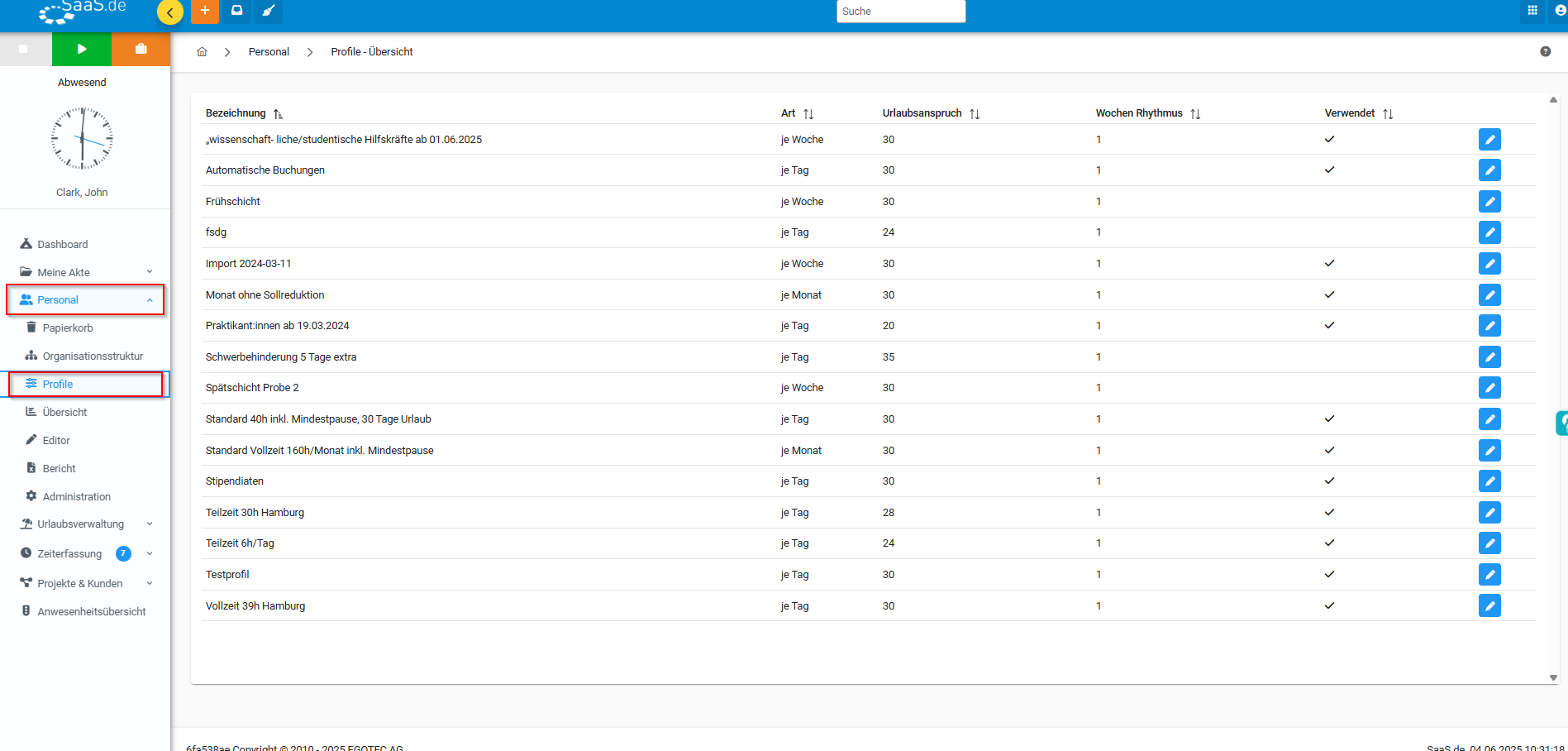
3. click on the "Profiles" tab in the menu bar on the left under "Personal".
4. open the respective profile (pencil icon to customise or double-click)
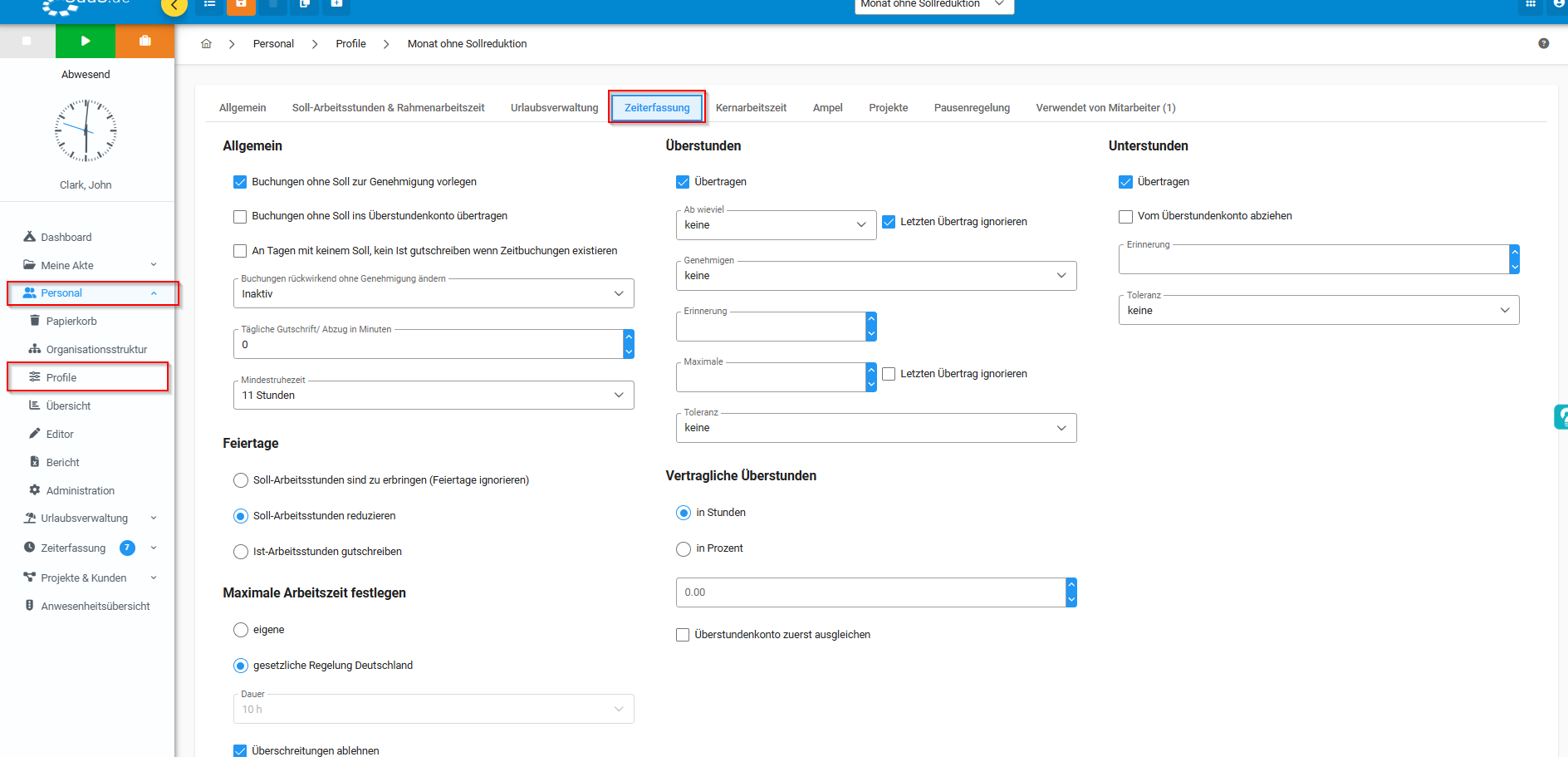
5. click on "Time recording" in the menu bar
6. make the desired settings.
7. do not forget to save by clicking on the save button so that the system can note the change.
How do I transfer overtime to SaaS.de?
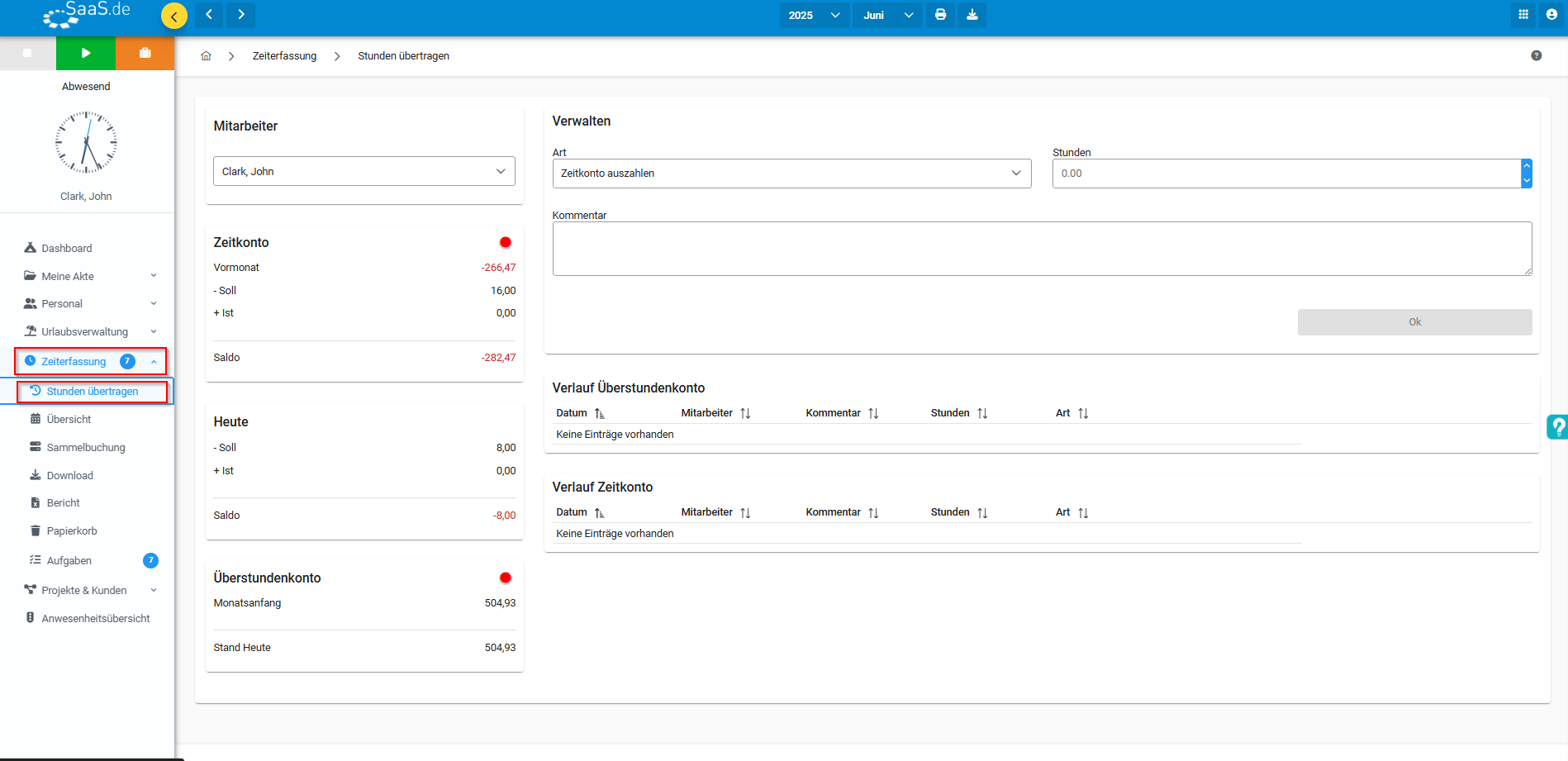
To manage hours in your account, you also have the option of transferring hours.
1. click on the "Transfer hours" tab in the menu bar on the left under "Time recording"
2. under "Type" you can now select what you want to do with the hours.
3. now you can make the desired settings for the hours.
4. do not forget to save by clicking on the save button so that the system can note the change.
