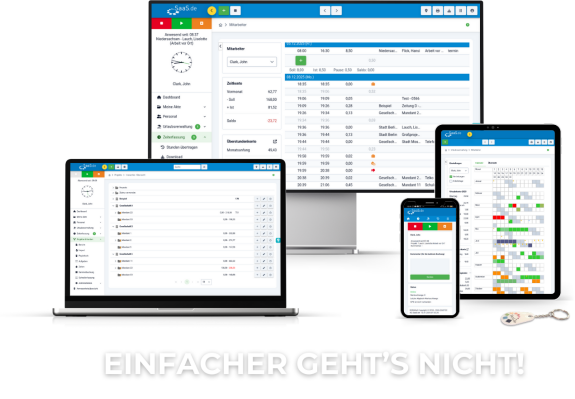
1. open Desktop.SaaS.de.
2. click on the Personnel section in the menu bar.
3. you now have an overview of the employees.
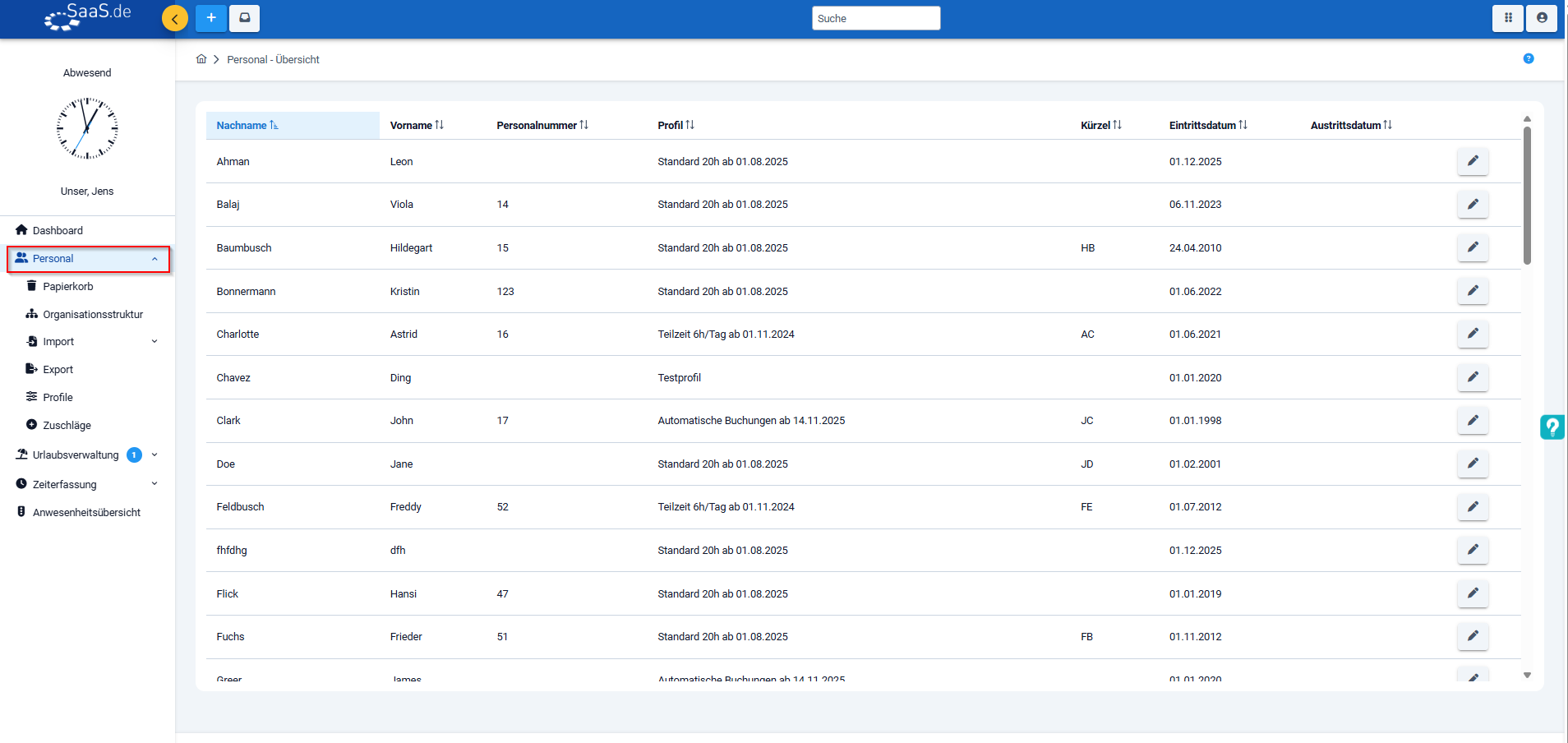
4. click on the pencil icon to open the employee.
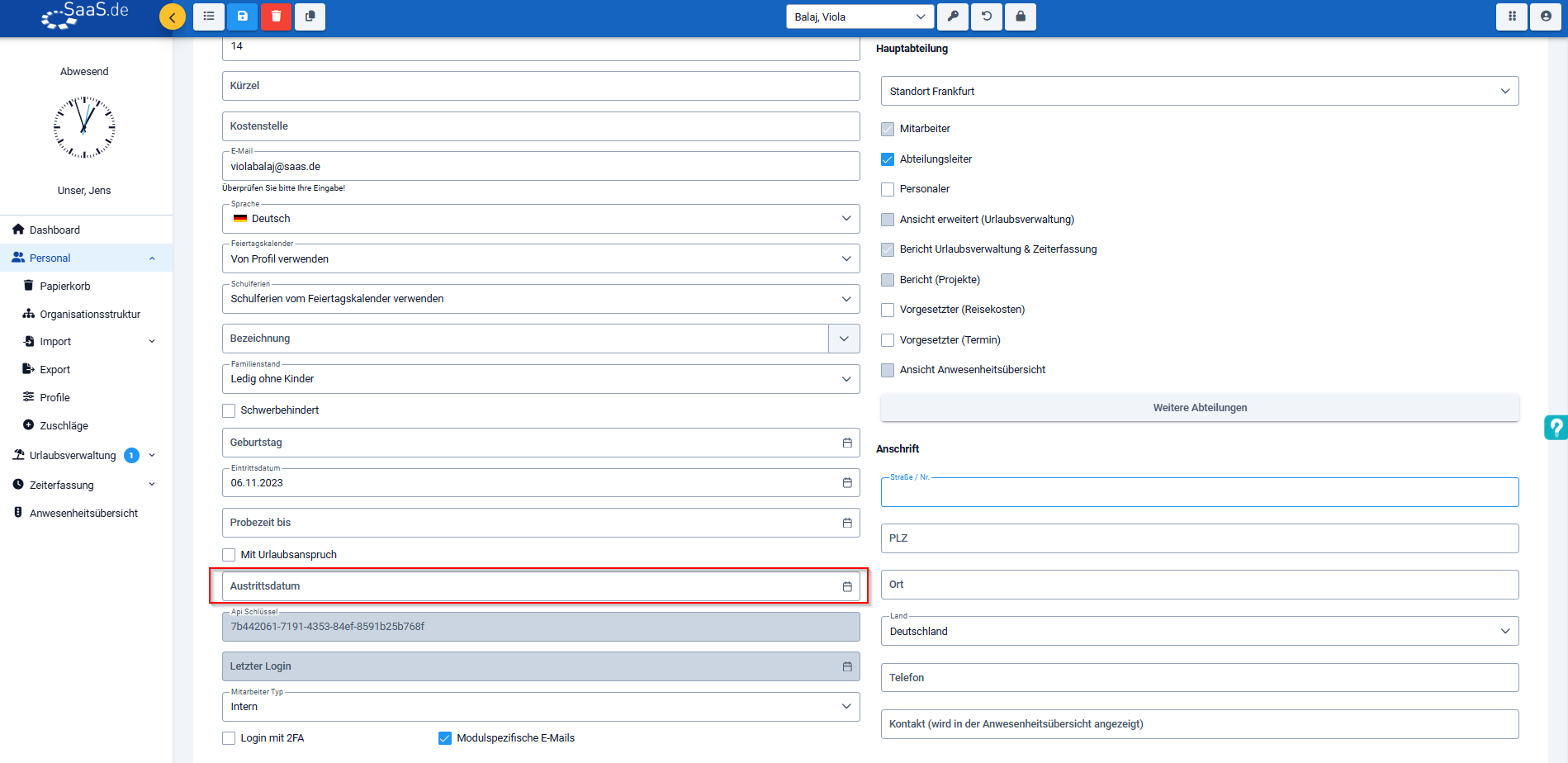
5. you now have an overview of the master data. Here you can enter the required data in the "Leaving date" field.
6. when the leaving date is reached, the employee will automatically end up in the archive.

Everything important about SaaS.de
Stay up to date: legal innovations, new blog posts, product updates, checklists and information on maintenance and improvements - directly by e-mail.
☑ Cancellation possible at any time
Important:
As soon as an employee has reached their leaving date, their licences are not automatically withdrawn. This must be reduced manually.
To do this, proceed as follows:
- Open SaaS.de and click on the module switcher (symbol with 6 dots) at the top right.
- Then select the admin area by clicking on the cogwheel symbol ("Admin").
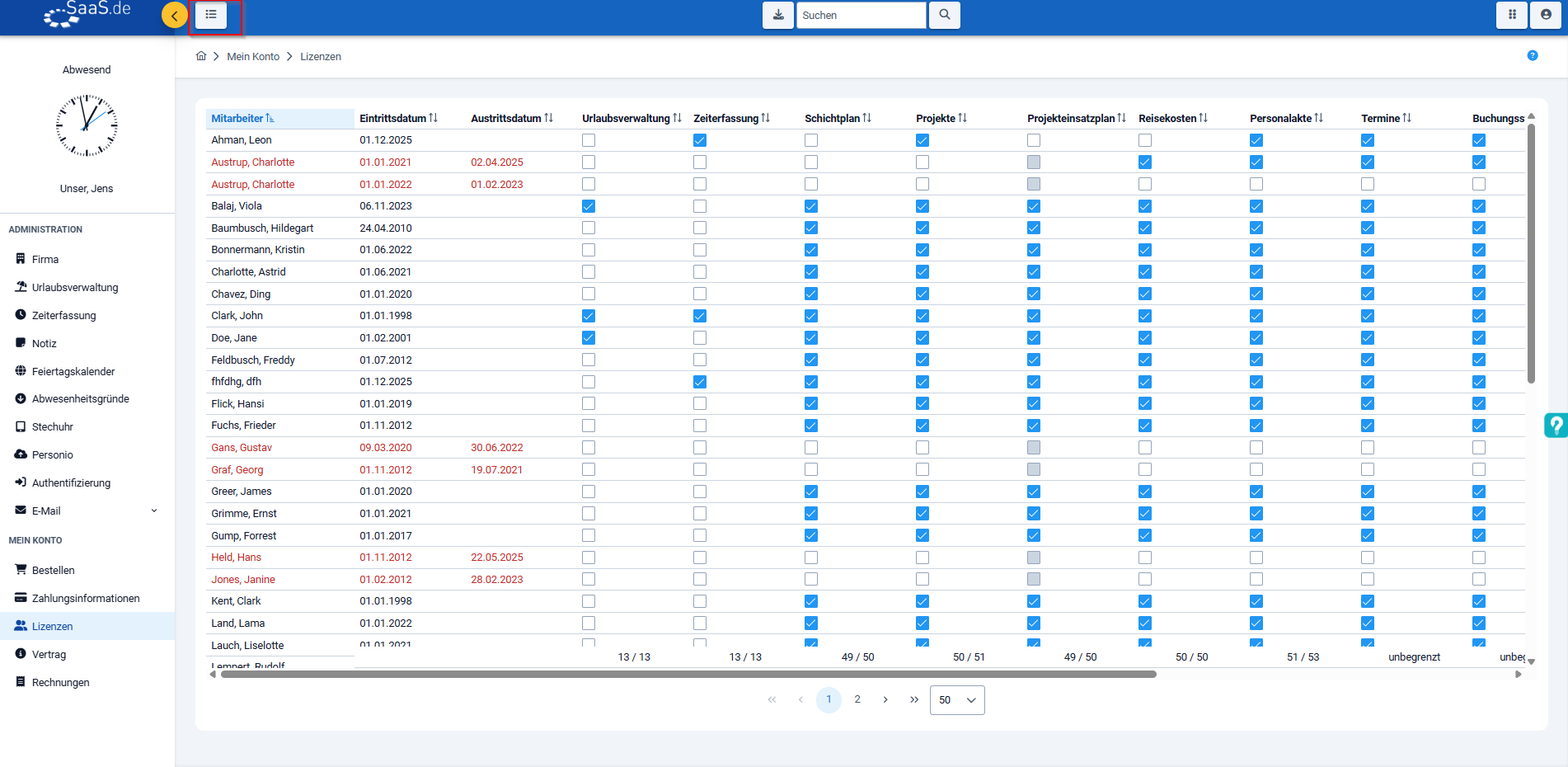
- Click on "Licences" in the left-hand menu bar under "My account".
- You will now see the current employee list.
Click on the "Archive" button above to display employees who have left the company. - Remove the licence for the employee who has left the company by deactivating the tick in the checkbox.
Always well informed with SaaS.de
Receive relevant information about personnel, legal updates,
new content, practical checklists and information on changes or maintenance.
☑ Cancellation possible at any time
