1. Open Desktop.SaaS.de.
2. Click on the ‘Personnel’ section in the menu bar.
3. You will now see an overview of the staff.
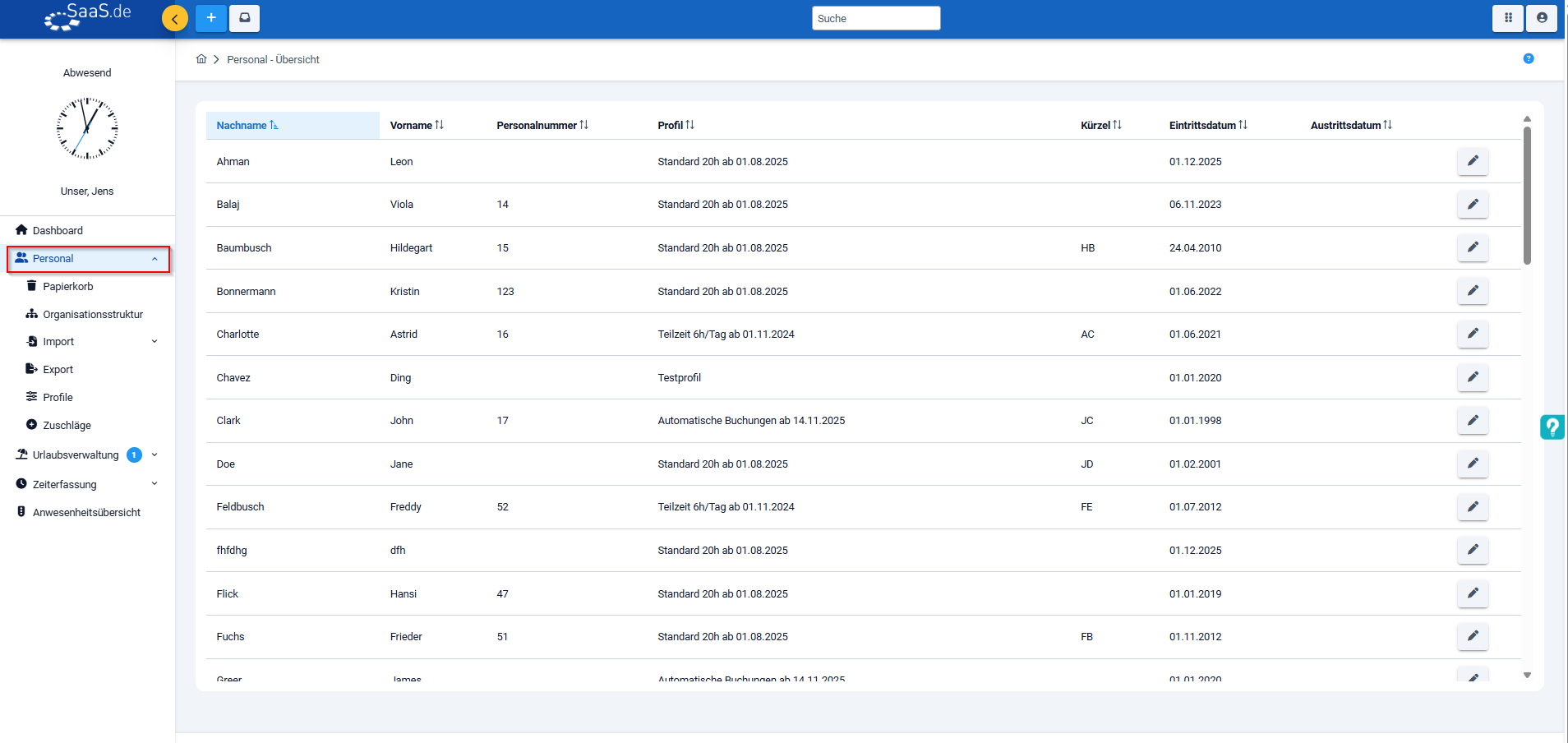
4. Click on the pencil icon to open the employee’s details.
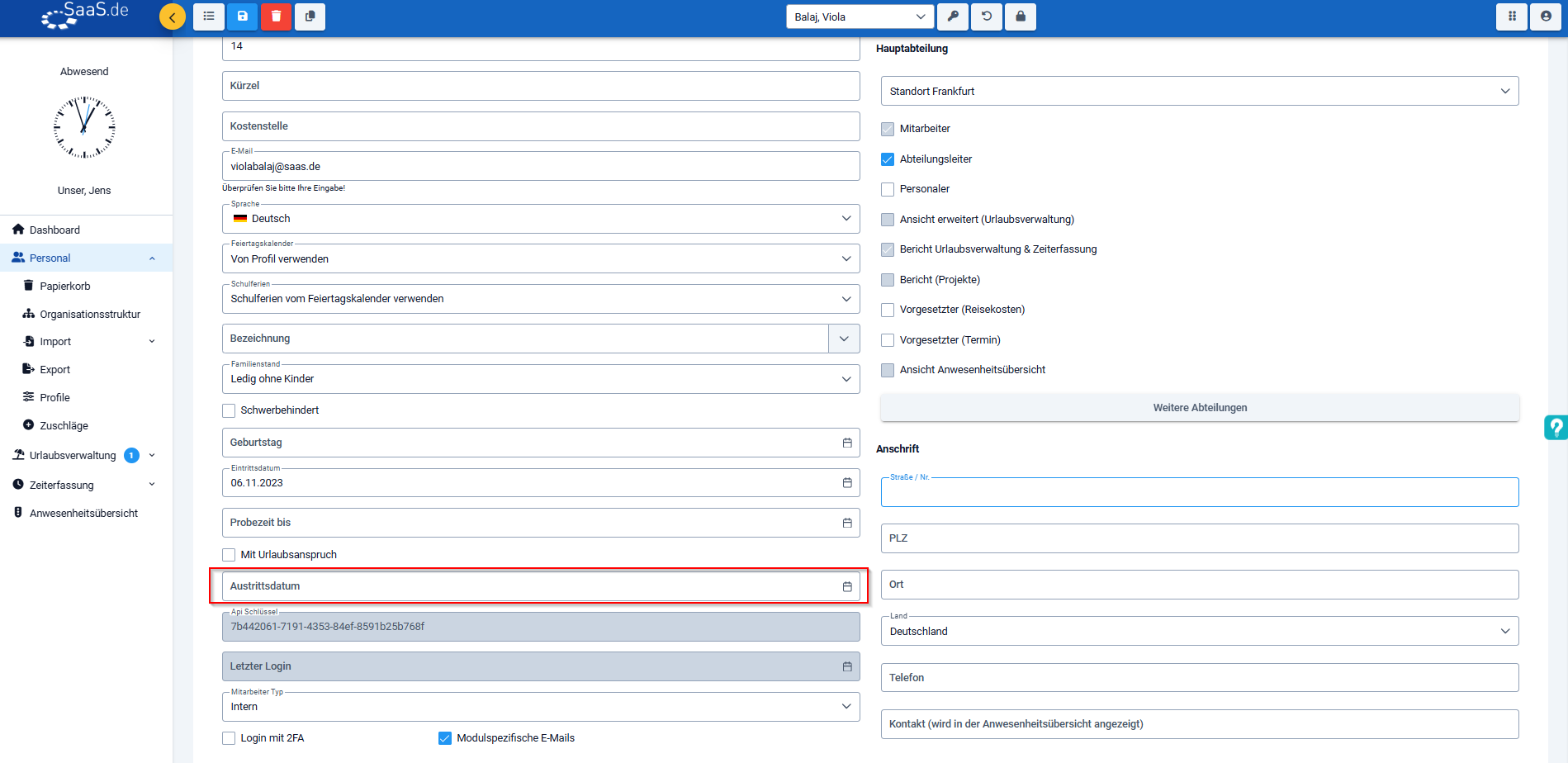
5. You will now see an overview of the master data. Here, you can enter the required details in the‘Leaving date’ field.
6. Once the leaving date has been reached, the employee will automatically be moved to the archive.

Everything you need to know about SaaS.de
Stay up to date: legal developments, new blog posts, product updates, checklists and information on maintenance and improvements – delivered straight to your inbox.
☑ You can unsubscribe at any time
Important:
Once an employee has reached their leaving date, their licences are not automatically revoked. These must be manually reduced.
To do this, follow these steps:
- Open SaaS.de and click on the module switcher (the icon with six dots) in the top right-hand corner.
- Then select the admin area by clicking on the cog icon (‘Admin’).
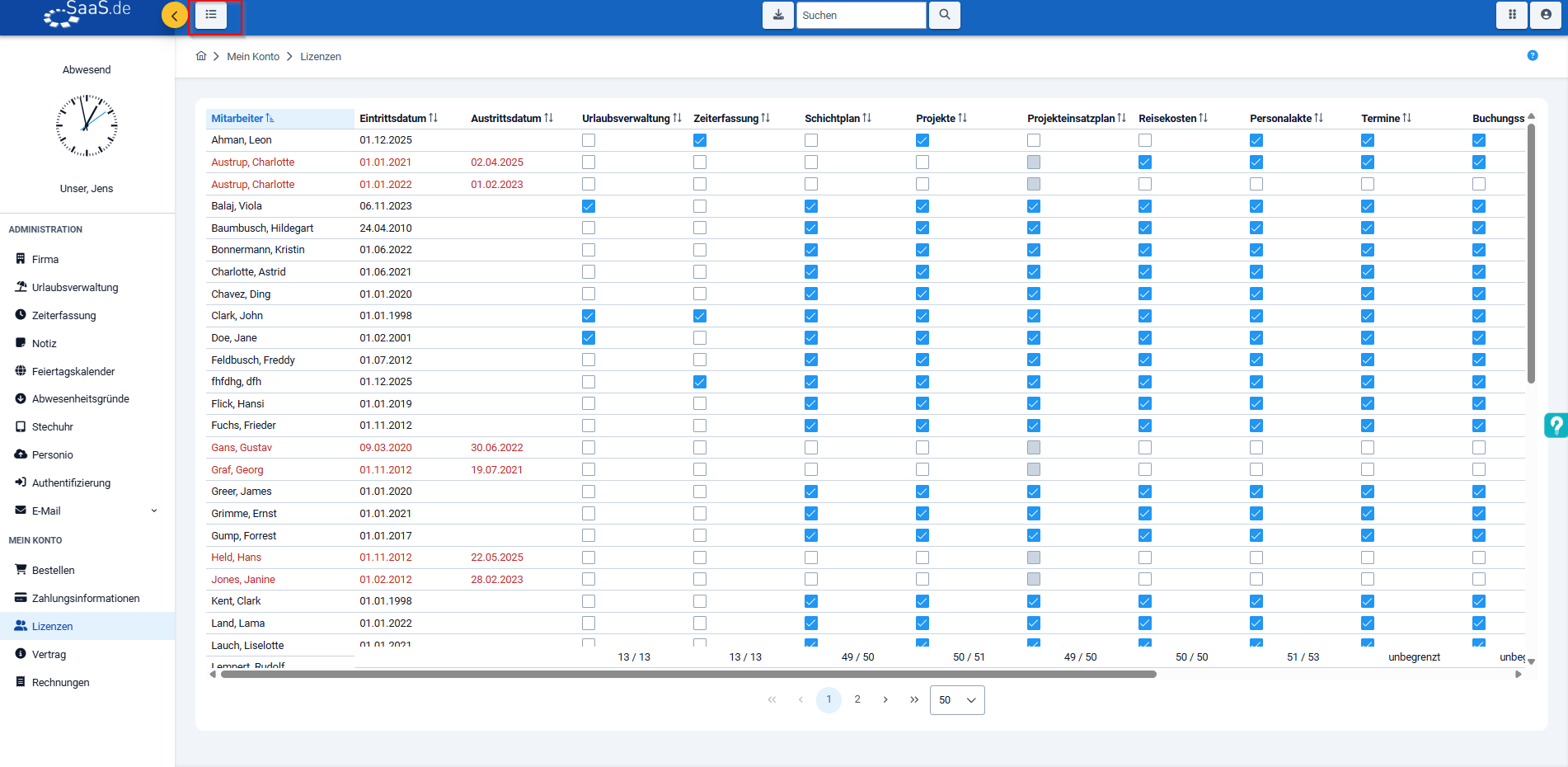
- In the left-hand menu bar, under ‘My Account’, click on ‘Licences’.
- You will now see the current list of employees.
Click on the ‘Archive’ button above to view employees who have left the company. - Remove the licence for the employee who has left by unticking the box.
Always stay up to date with SaaS.de
Get relevant information on HR matters, legal updates,
new content, practical checklists and notices regarding changes or maintenance.
☑ You can unsubscribe at any time
