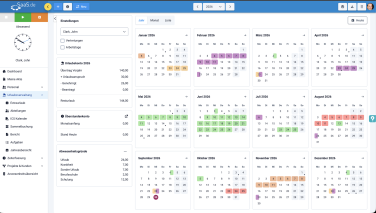
There have been some changes to the holiday management system
We’ve updated the calendar views so that you can get a quicker overview of holidays and absences and plan them even more easily. We’ll start with the holiday calendar. Then we’ll show you the other changes.
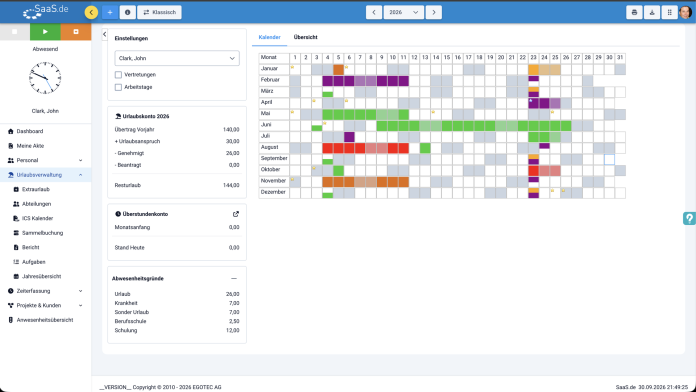
Old view of holiday management
12 months times 31 days in a table
Tabs: "Calendar" and "Overview"
Date can only be read from the column number
Tucked away in the corner, easy to miss
The previous view shows the whole year in a table. This is compact, but can quickly become confusing when there are lots of entries. The new view breaks the year down into individual monthly tiles, so you can see time periods more quickly and plan appointments more easily. You’ll still find your holiday balance and reasons for absence on the left-hand side of the calendar.
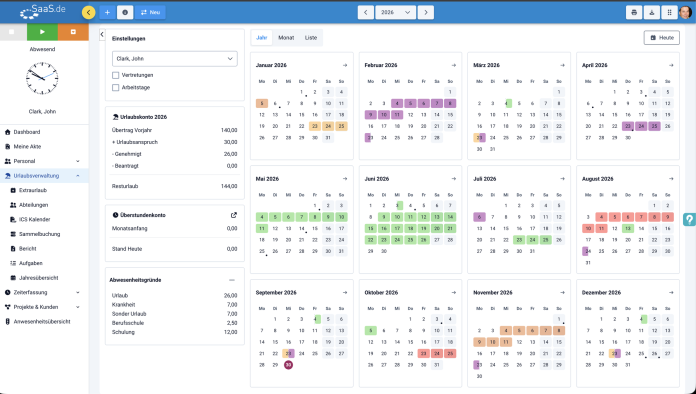
New view of holiday management
The year as a weekly calendar showing the days of the week
Three views for an overview and detail
Absences are clearly visible, including half-days
Click here to return to today's page
The annual calendar is not the only change
The view of the departments, which you can also find at “Holiday management" , has also been updated.
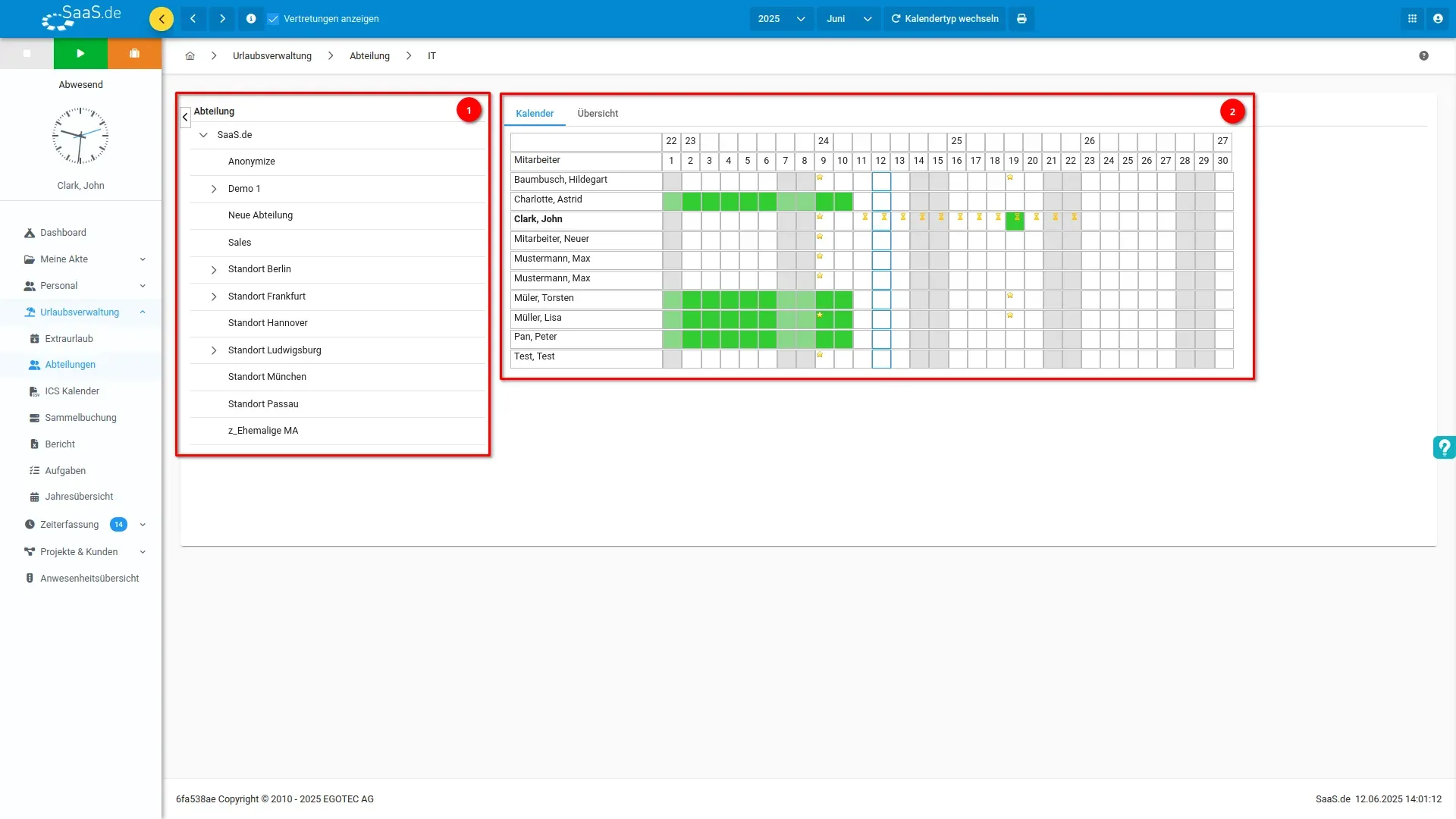
Old view of the departments
You can always see a whole month
Absences are indicated only by coloured boxes
No days of the week are visible
You can search for people in the table itself
The current view displays the entire month in a fixed table. This is clear and straightforward as long as there are only a few staff members listed. However, with larger teams, you’ll find yourself having to search and scroll a lot. The new view offers better navigation and can be adapted to suit your way of working. The departmental structure on the left remains the same as you’re used to.
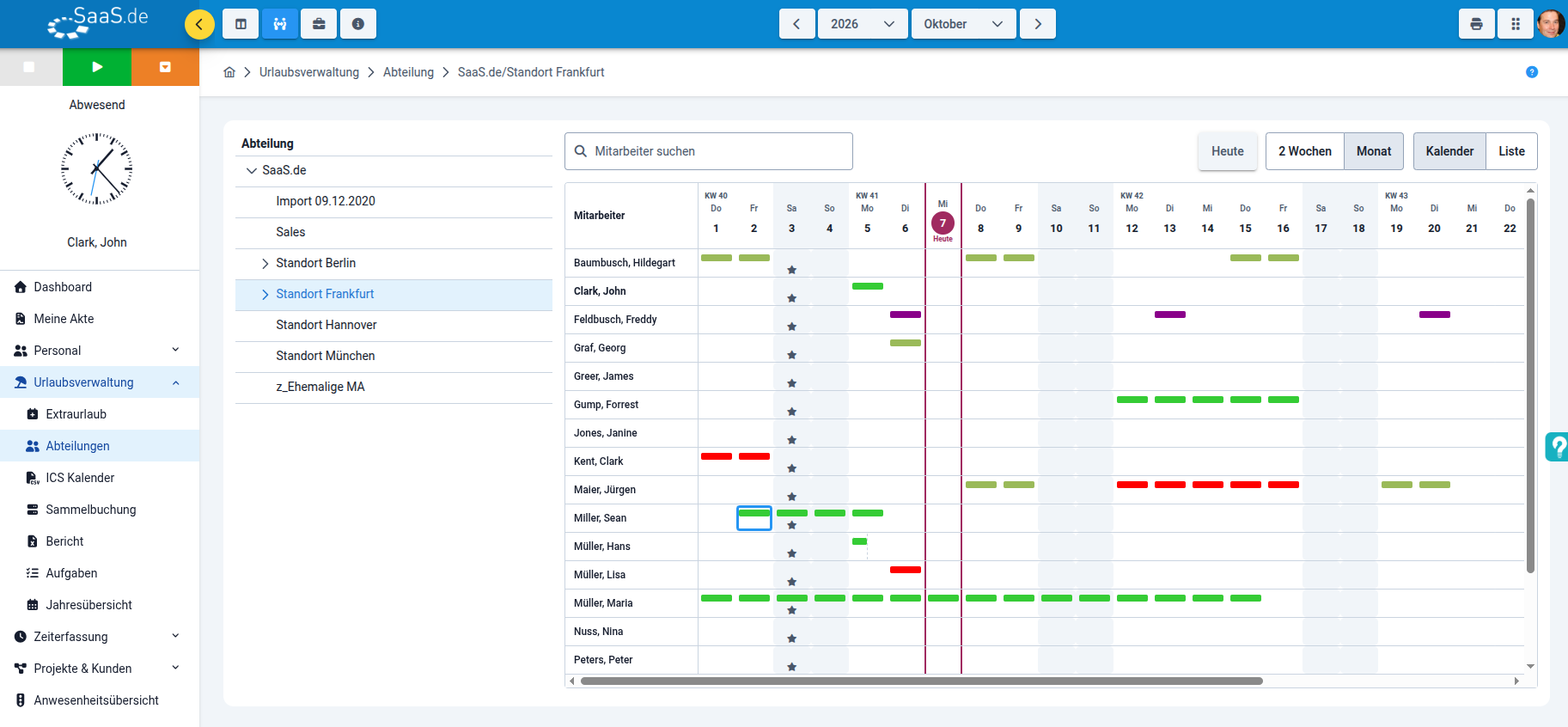
New view of the departments
You choose the time period that suits you
Absences are clearly visible
Displaying the days of the week helps you find your way around more quickly
People can be found instantly by entering their name in the search box
The current day is highlighted, and you can use ‘Calendar"’ and ‘List"’ to switch between the graphical view and a list view.